
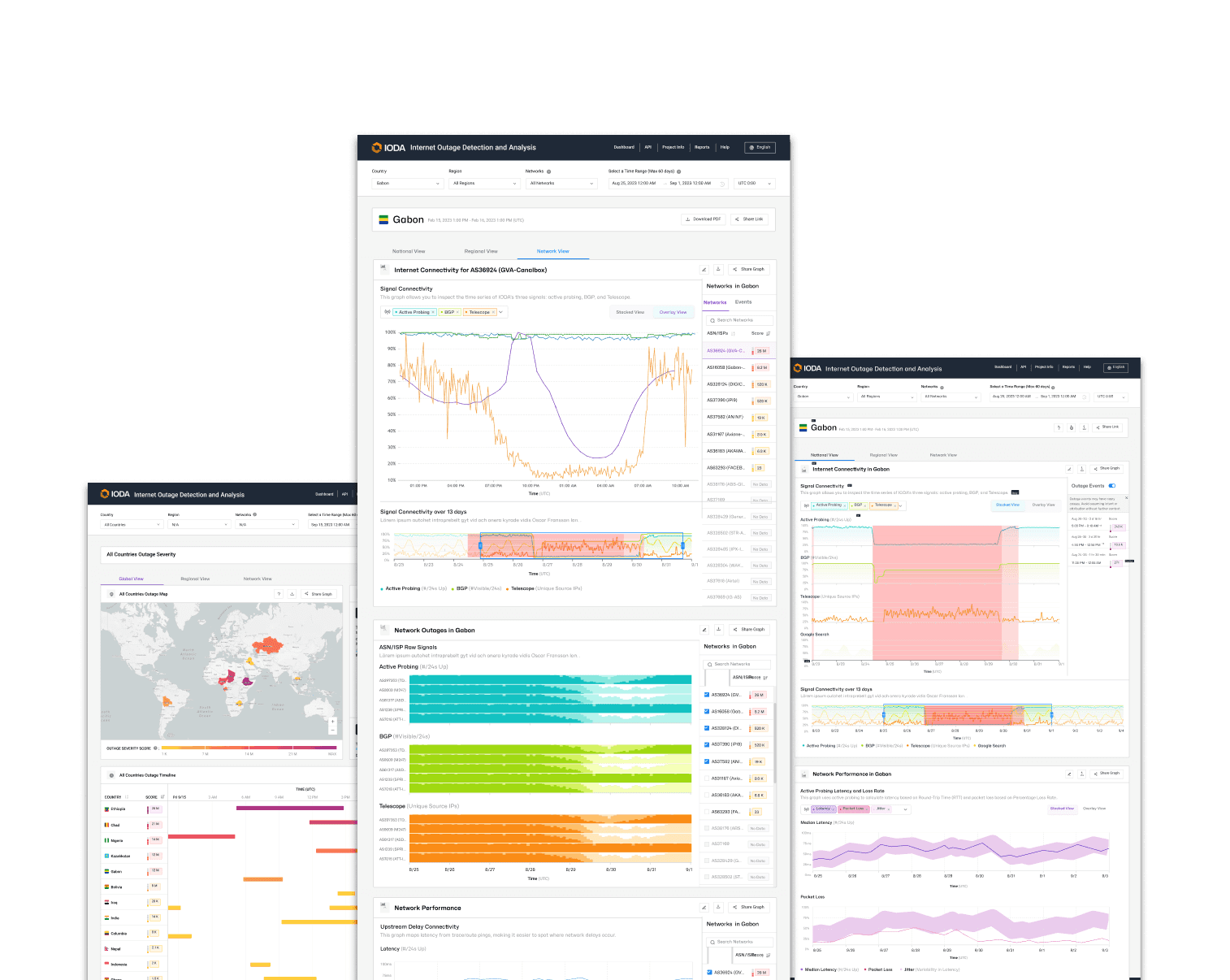
THE PROBLEM
Growth introduced complexity without a clear system
New charts and signals had been added without a consistent placement logic.
Views became progressively denser and harder to interpret. Key interactions relied on desktop patterns that worked poorly in practice. The system no longer had a clear model behind it.
INFORMATION ARCHITECTURE
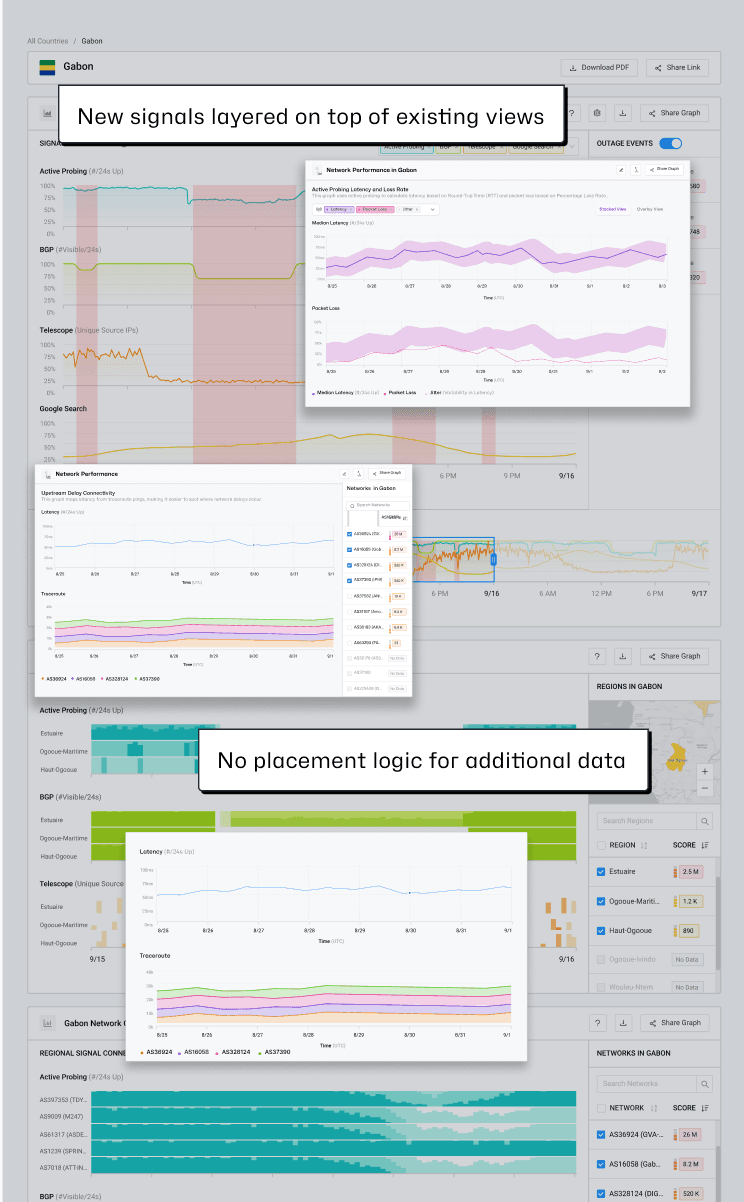
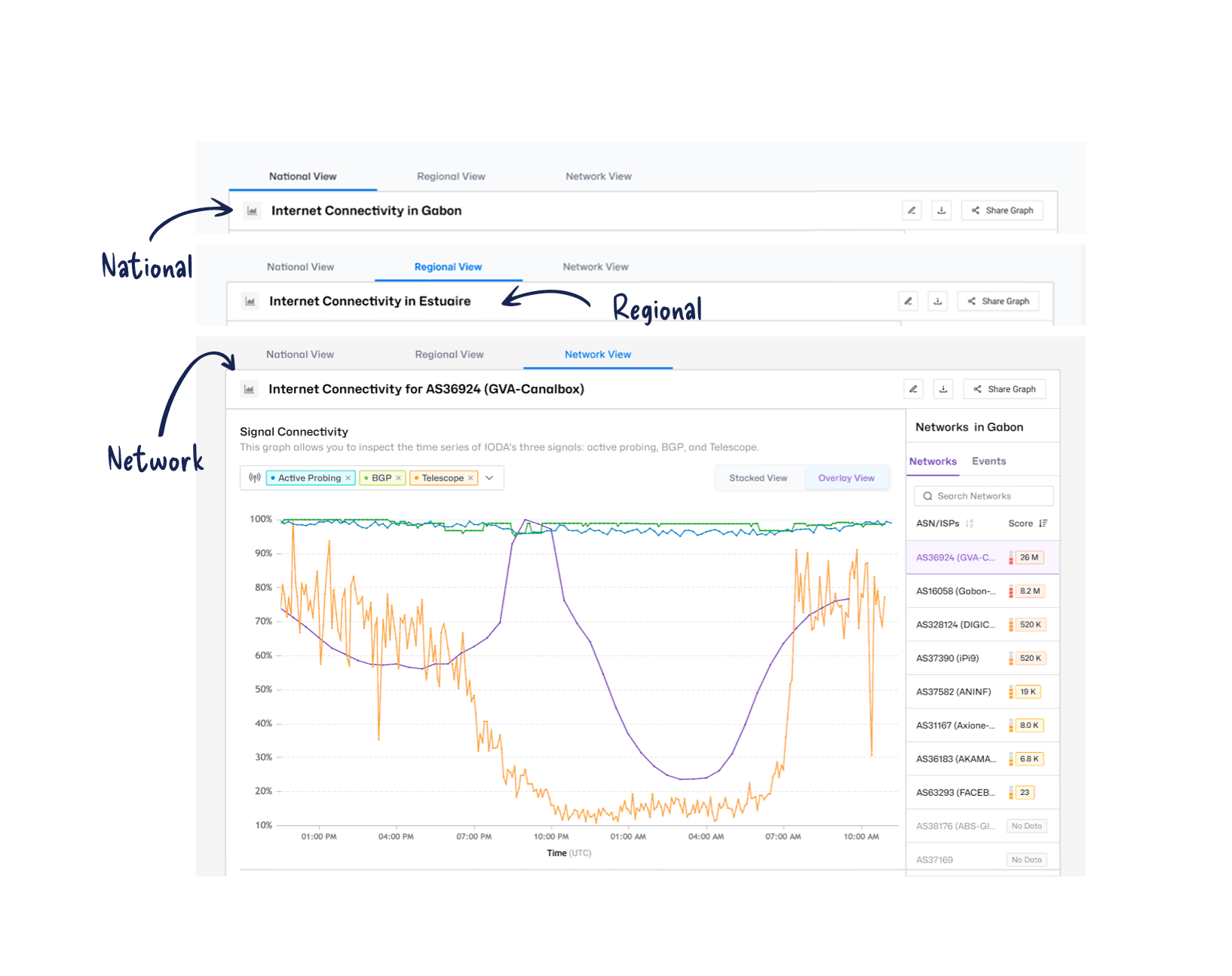
Structuring the dashboard around how the data works
UI DESIGN
Making data relationships visible and interpretable
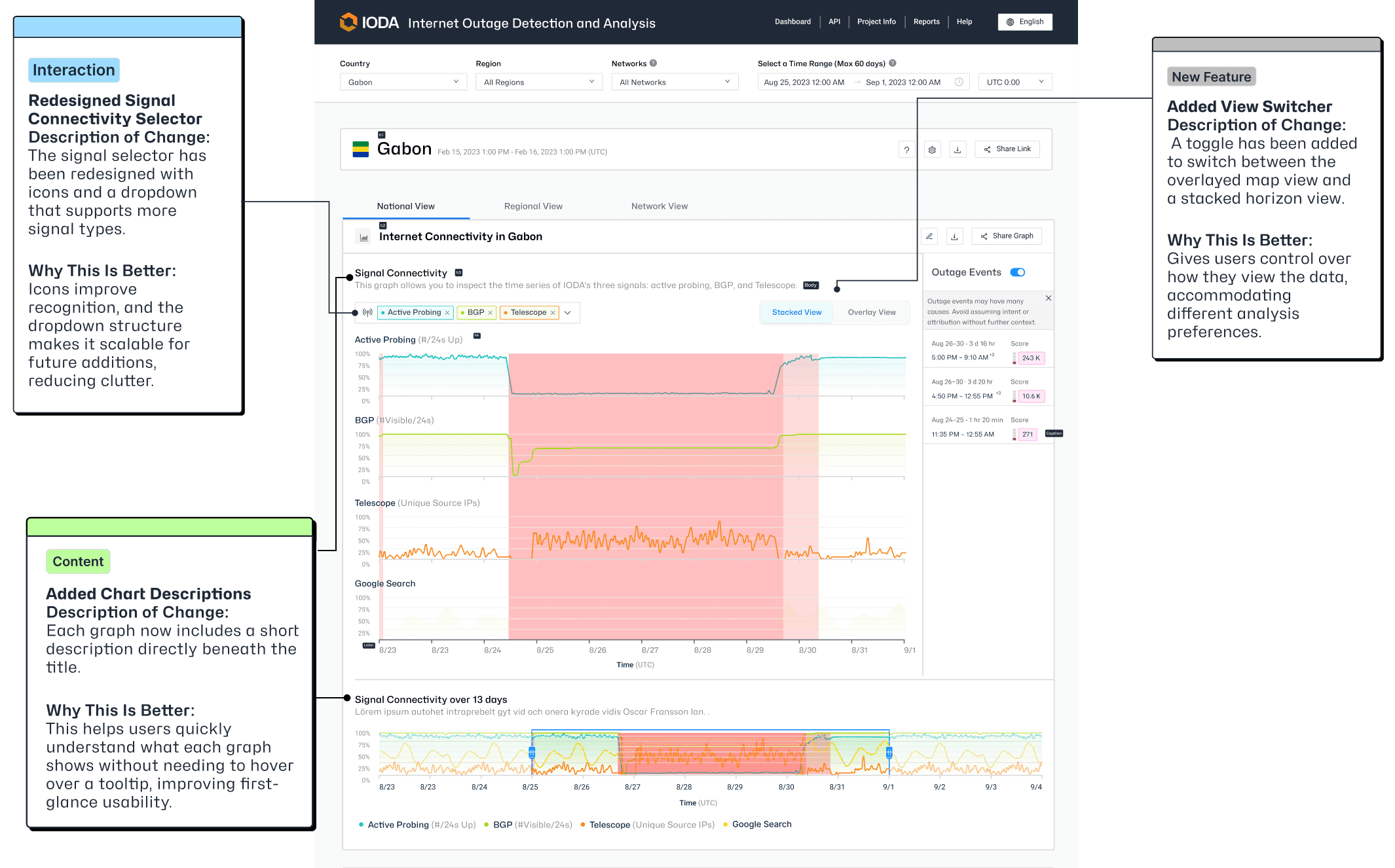
The signal selector was redesigned so that relationships between data sources are explicit rather than implied.
Colour-coded labels Selected signals now appear as colour-coded labels tied directly to their corresponding chart lines. This reduces the mental work required to map controls to what's shown on screen.
Multi-select Supports comparison without losing context. Default selections preserve familiar behaviour for existing users.
View switcher A toggle was added to let users switch between a stacked and overlayed chart view. Users who want to compare signals side by side can do so, while those looking at trends over time can switch without losing their place.
Chart Description Each chart now includes a short description directly beneath its title. This reduces reliance on hover and communicates purpose at first glance, particularly for users encountering a signal for the first time.
METRIC PLACEMENT
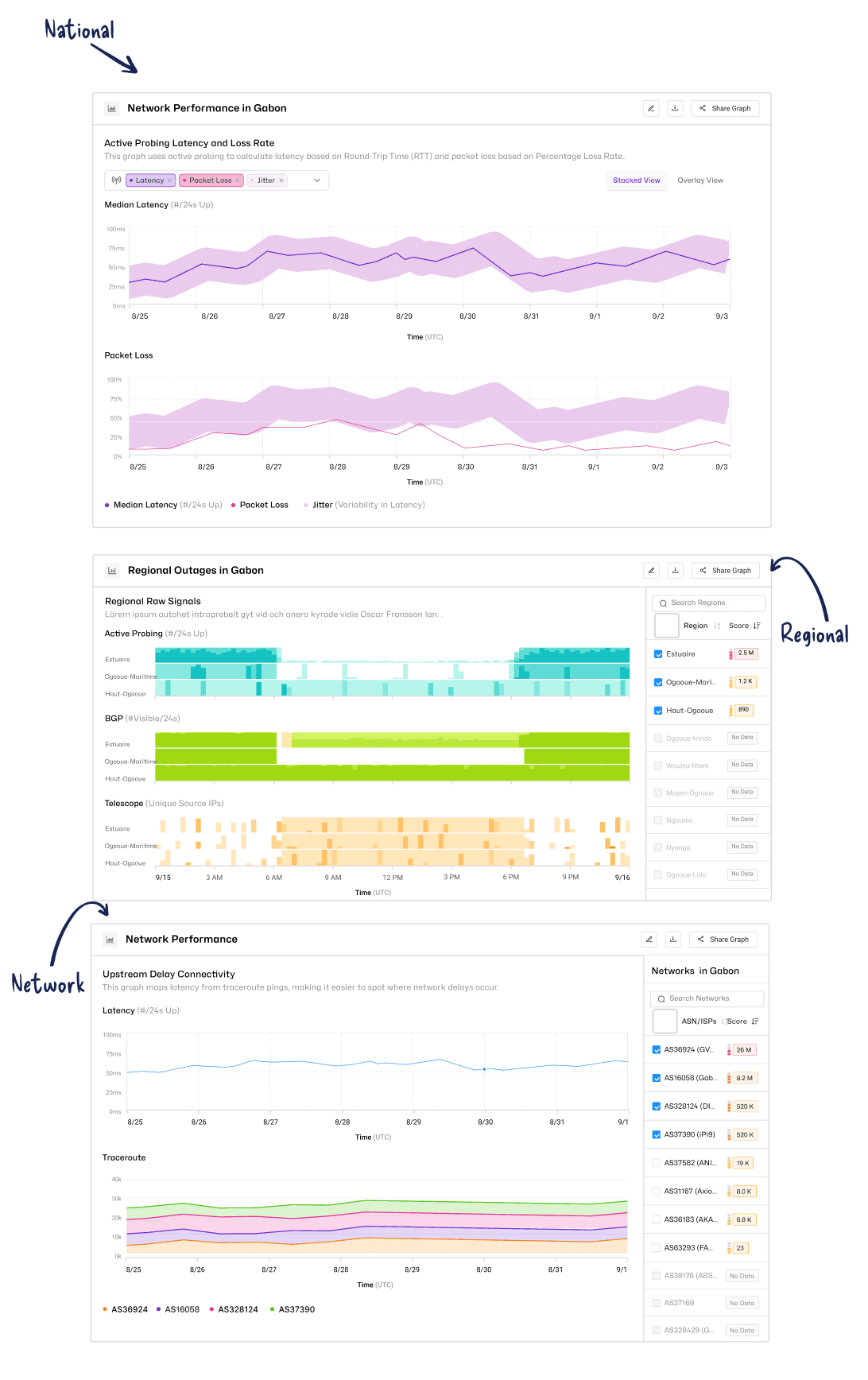
Placed by meaning, not just availability
OUTCOME
A system that can continue to grow without breaking
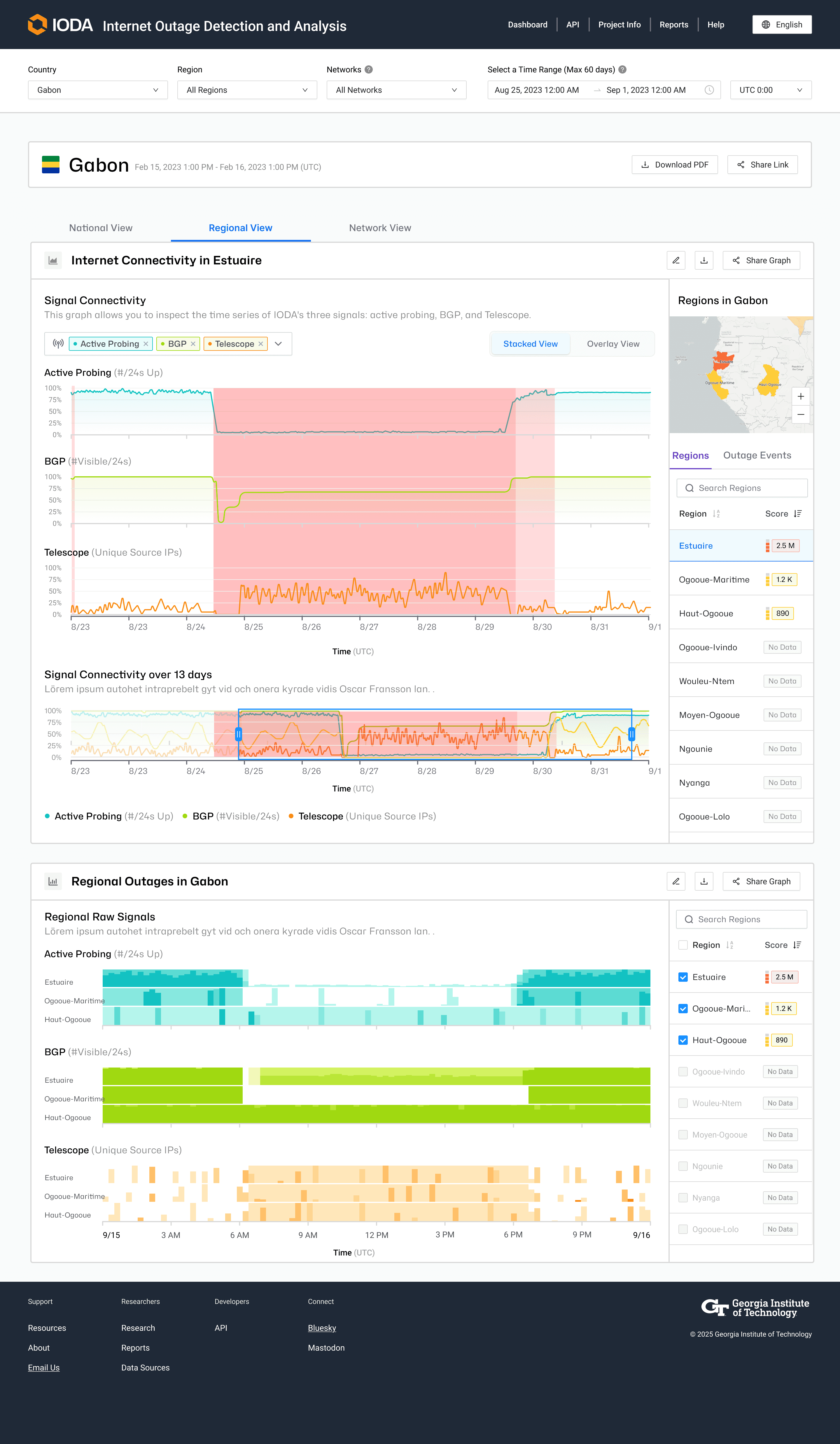
Connectivity data is now organised into clear, logical views
Users can compare signals without losing context
New metrics can be placed without disrupting the interface
Charts communicate their purpose without requiring interaction to understand
The dashboard now has a model behind it. Instead of accumulating features, it can continue to grow without becoming harder to use.
Other Projects