
Interaction Design
UX Research
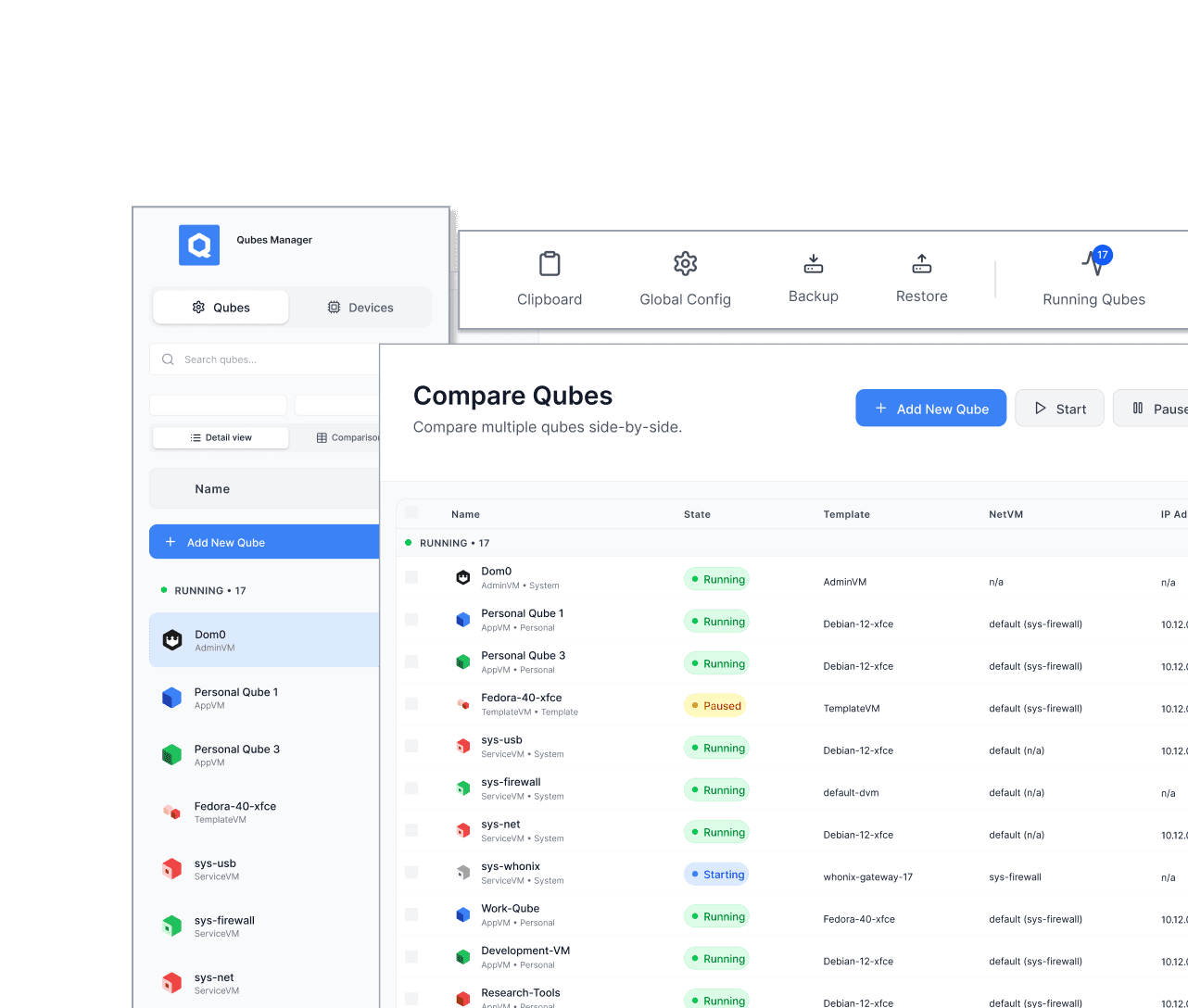
I redesigned Qube Manager to absorb critical system workflows previously handled through the system tray, turning it into a unified system management hub for Qubes OS.
Qubes OS is a security-focused operating system built around compartmentalization. As the move from X11 to Wayland removed tray support, several important workflows risked becoming fragmented across menus or hidden behind command-line access.
THE PROBLEM
Critical system controls risked becoming fragmented and undiscoverable
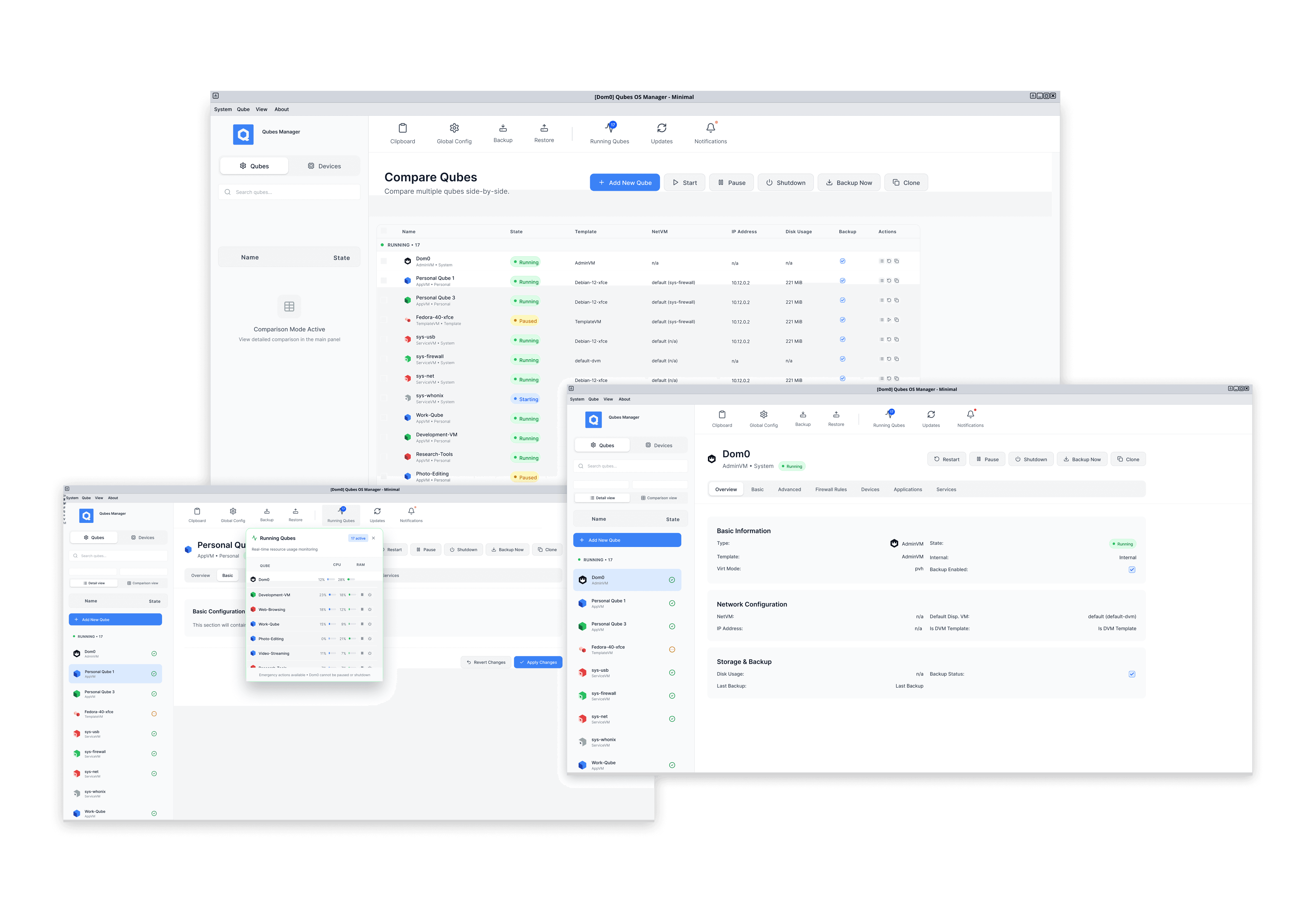
The system tray was the primary GUI surface for several system-level controls. Some of those tools existed elsewhere, but many were scattered across menus or hidden behind command line knowledge.
Without a replacement, essential workflows risked becoming fragmented, harder to discover, and dependent on technical expertise. In a security-focused operating system, that loss of visibility increases the likelihood of user error. The challenge was to design a durable home for these workflows without turning the interface into an overloaded patchwork.
ARCHITECTURE
Rebuilding Qube Manager to support scalable system control
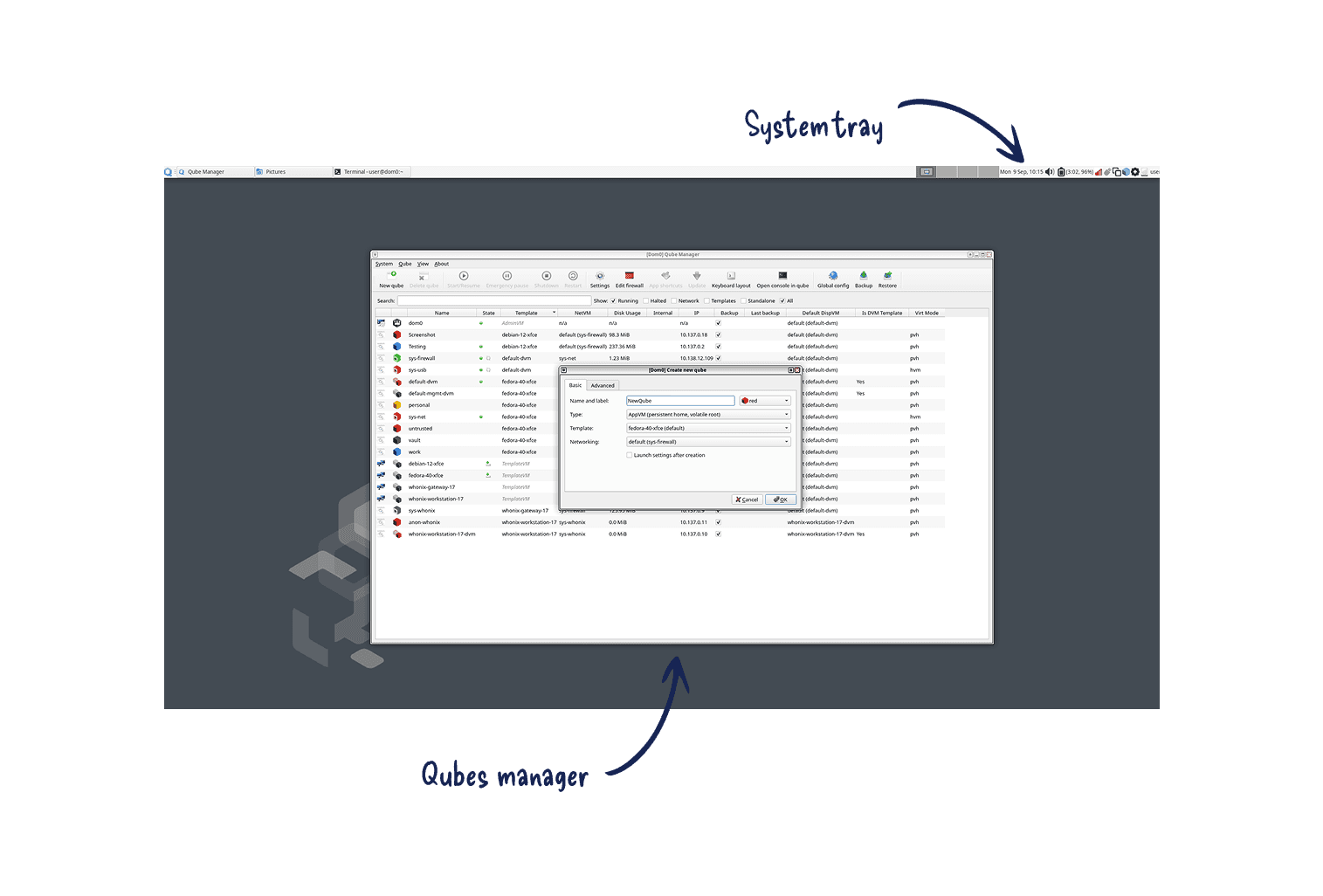
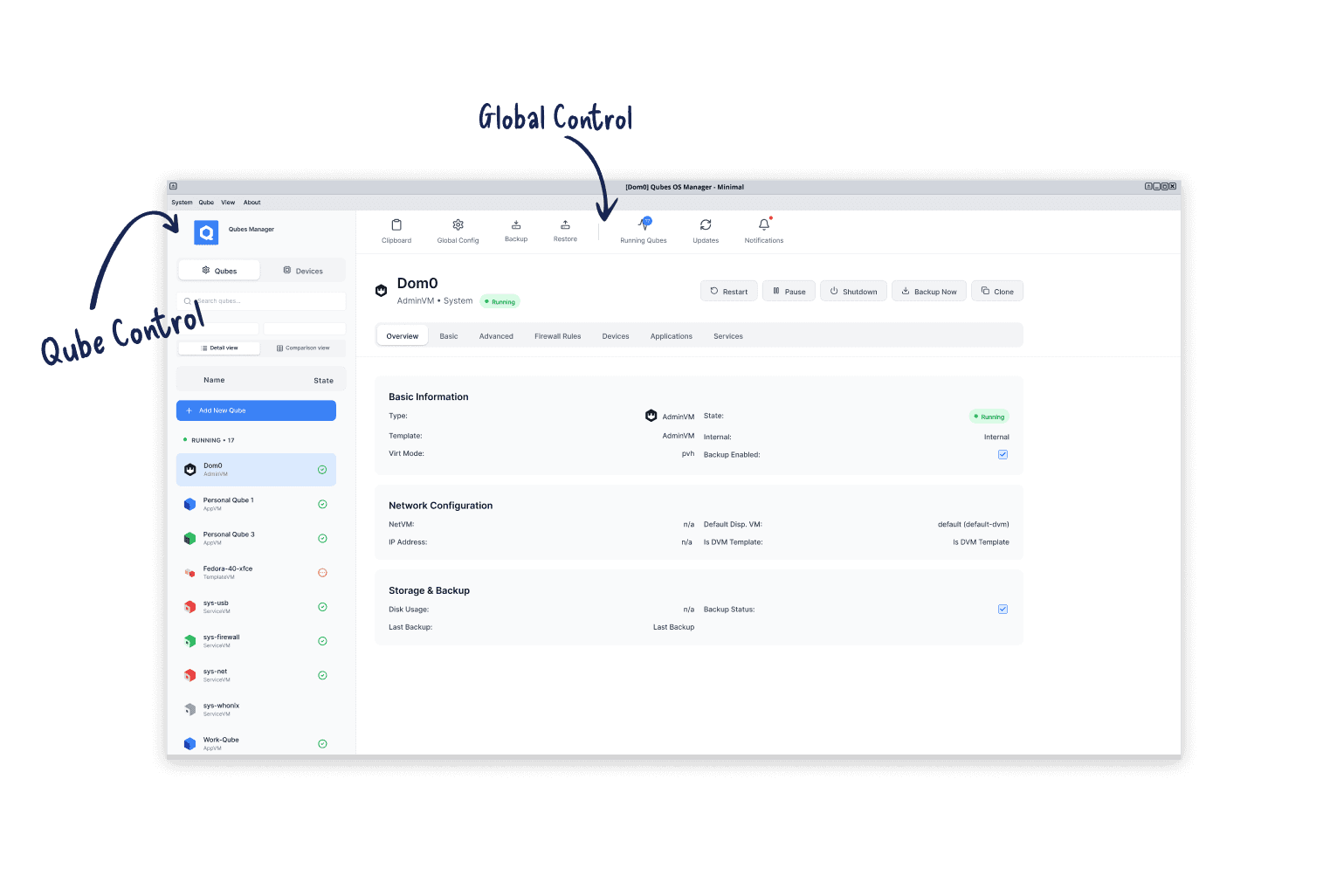
Before migrating features, I rebuilt the Manager’s navigation architecture so it could absorb new workflows without collapsing under complexity. The redesign centered on a simple structural rule:
Top bar = global system tools
Sidebar = qube-specific actions
INTERACTION MODEL
Reducing modal friction while preserving expert workflows
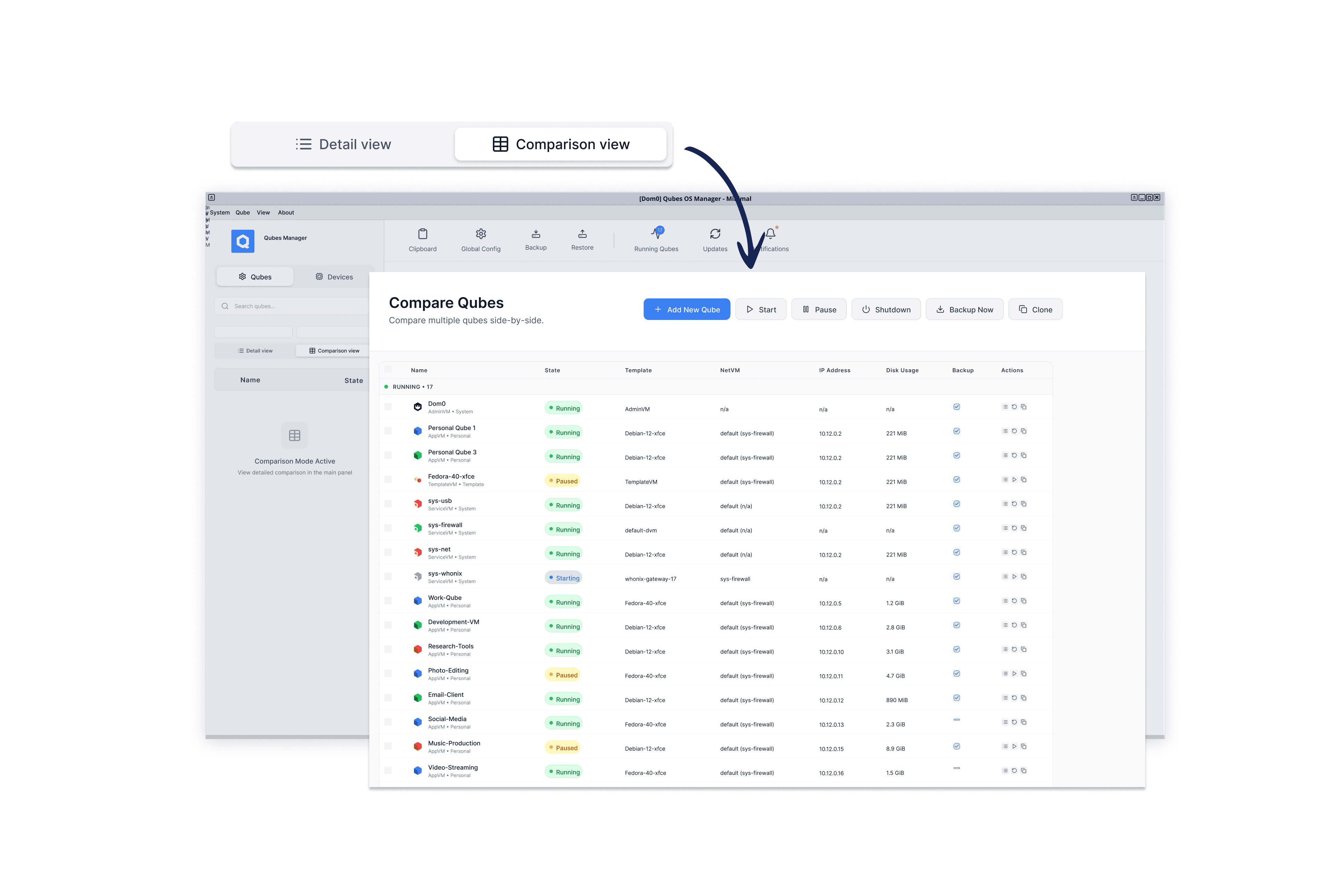
Reduced modal workflows Tasks that previously required opening multiple stacked dialogs were brought into a single, navigable context panel. Users can inspect and act without losing their place.
Preserved comparison view The original table view was retained for experienced users who rely on scanning qubes side by side.
TRAY MIGRATION
Mapping tray workflows into the new architecture
All tray functions were system controls, but they were not the same kind of control. I split them by intent and by what the user needs in the moment.
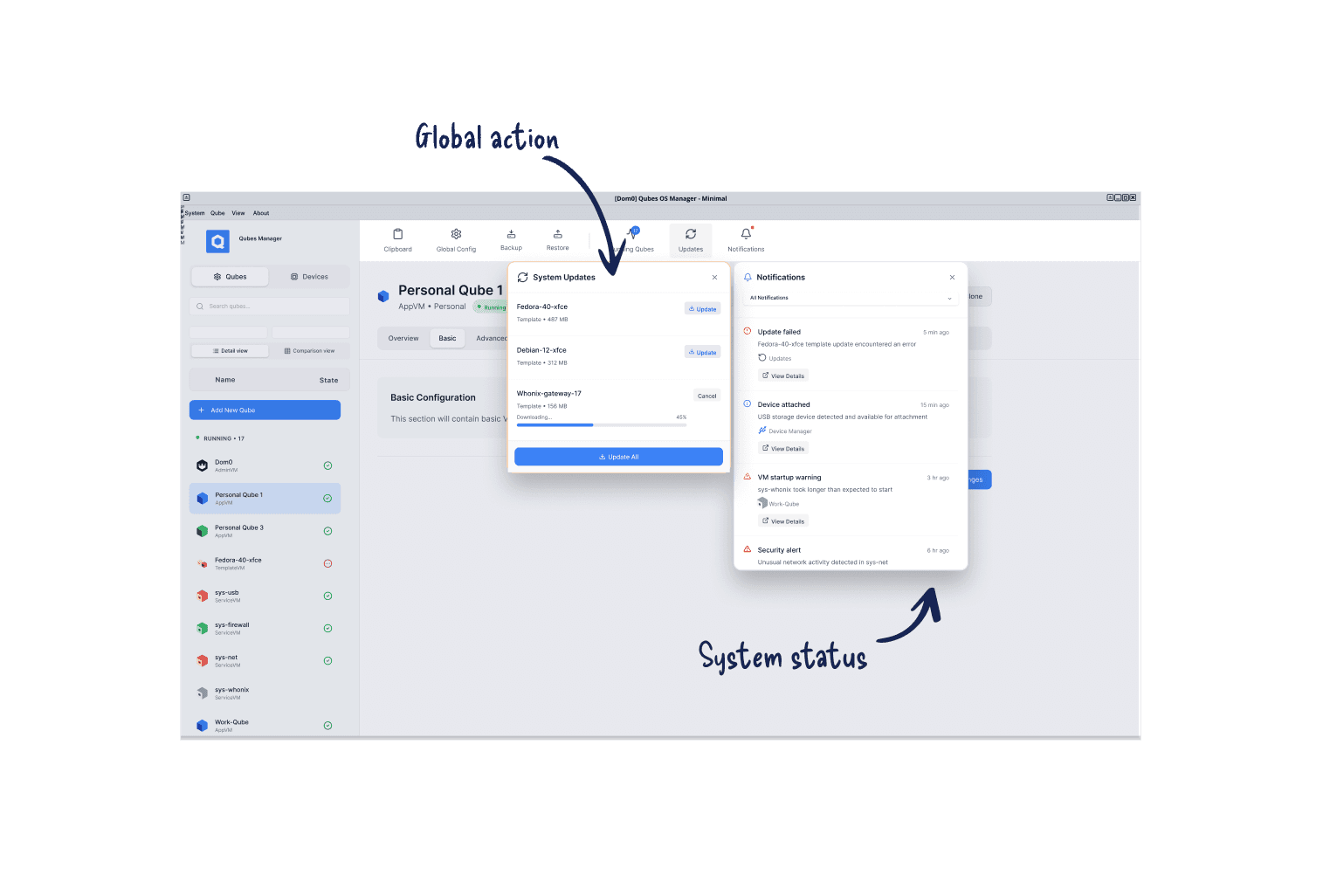
System status: Status and monitoring workflows answer “what is happening right now?” They need to be glanceable and always available, so they live in the global top bar as lightweight indicators.
Global actions: Some tray functions are system-level actions. They are not tied to a specific qube, but they still need a predictable, always-available home. These actions live alongside system settings in the global top bar.
ARCHITECTURE
Devices: system-level, but always qube-targeted
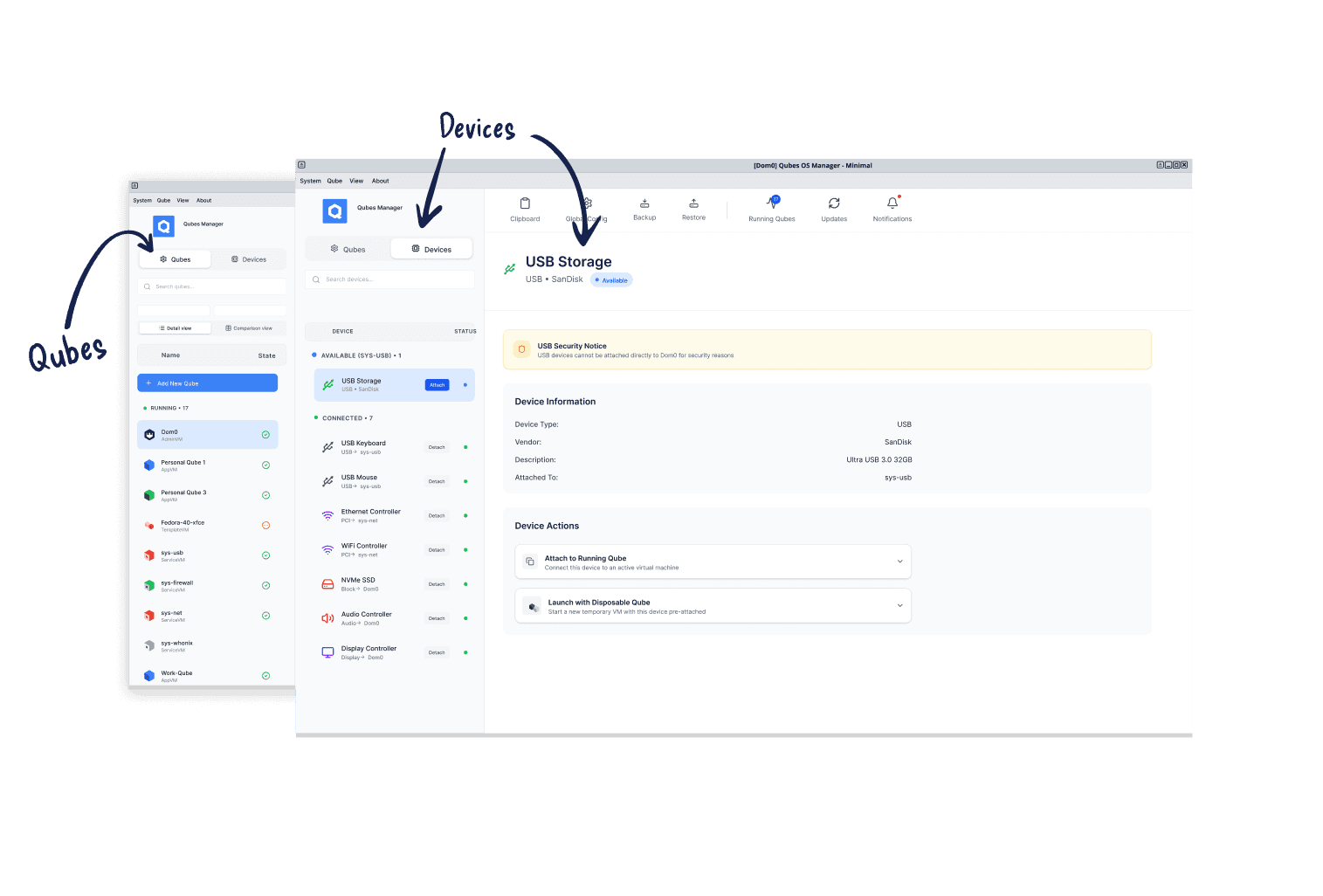
Device attach and detach was the hardest workflow to place. In Qubes, a USB device is detected by the system, but the user must intentionally select a target qube and mount the device to that compartment. That makes device attachment a security-sensitive action performed in relation to a specific qube.
Because of that, attach and detach did not belong in the global layer. I placed them in the side panel, alongside qube actions, so users can select a qube first and then mount a device in the same context.
To support this flow, I added a side panel switcher that lets users toggle between a Qubes view and a Devices view, keeping device selection close to qube context while avoiding a separate modal workflow.
VALIDATION
Live testing at Qubes Summit
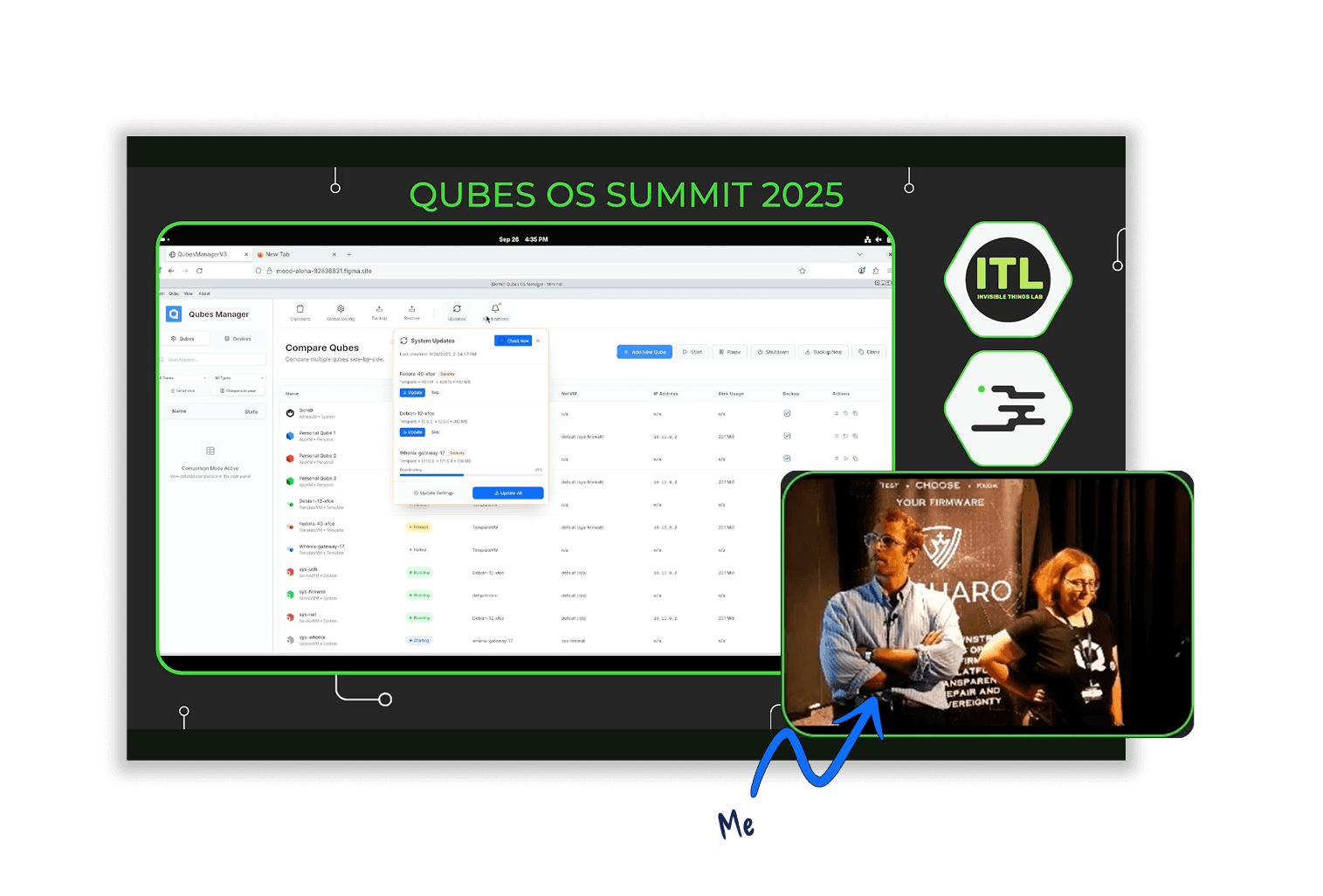
Instead of a formal research setup, I presented a working prototype live at Qubes Summit 2025, alongside the lead developer, in a room full of contributors and long-time users. It was unorthodox, but it produced blunt, high-signal feedback quickly.
The clearest issue was the device attachment flow. Users pointed out the amount of clicking and how far the mouse had to travel to complete an attach action. In response, I iterated the design to support direct device attachment from the side panel, reducing interaction cost for a high-frequency, security-sensitive workflow.
The session also helped set up the next phase. I collected names of experienced users willing to take part in follow-up testing once implementation funding is secured.
OUTCOME
A unified control surface
The redesigned Qube Manager consolidates workflows that were previously scattered:
five critical functions unified in one hub
an interface that scales with system complexity
clearer visibility into system state
a structure ready for future expansion
View Prototype
Get in touch
Other Projects